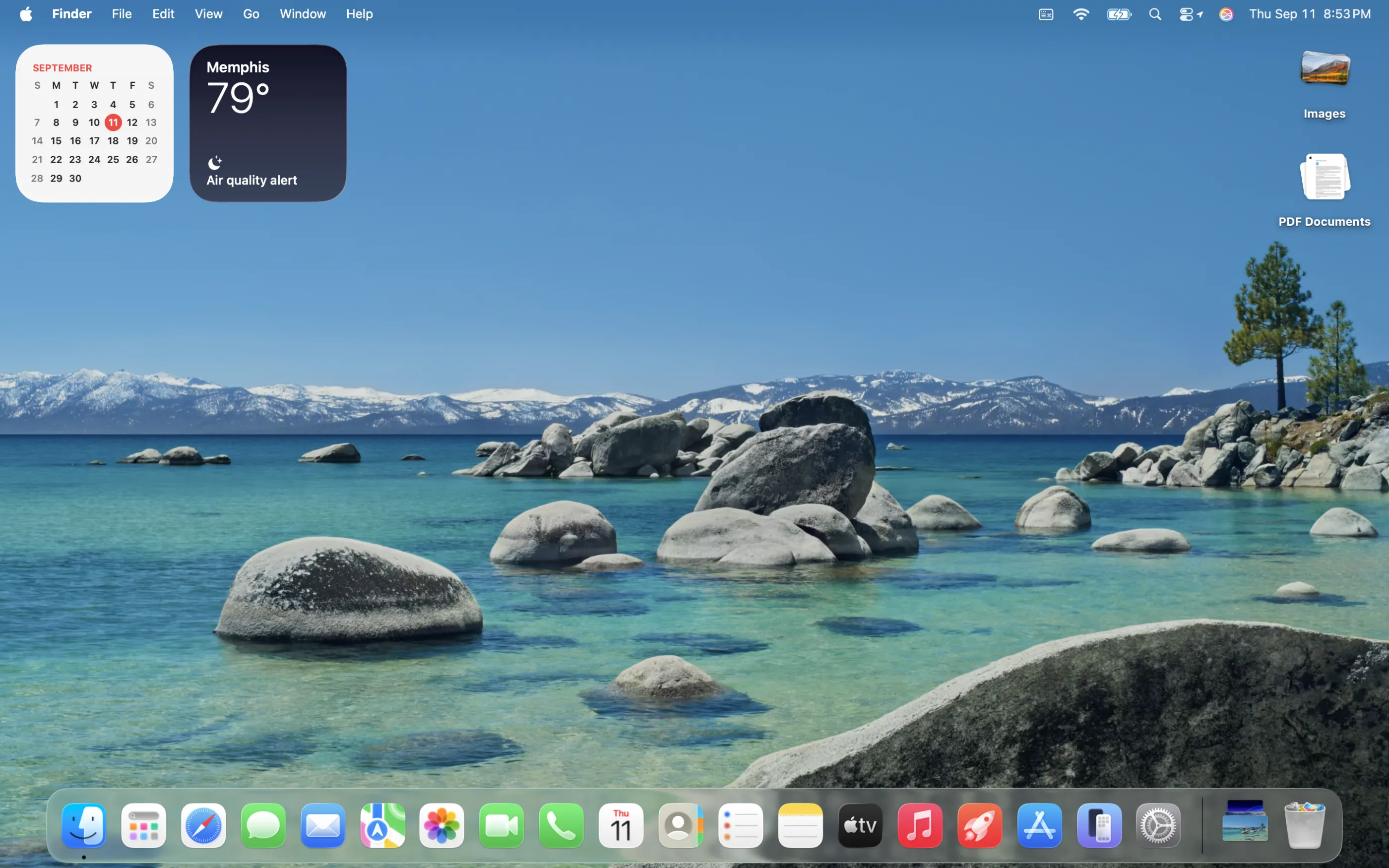


macOS Tahoe
macOS Tahoe (version 26) is the twenty-second major release of Apple's macOS operating system. The successor to macOS Sequoia, it was announced at WWDC 2025 on June 9, 2025, and its first developer beta was released the same day. It was released on September 15, 2025.

Developed by: Apple Computer
General availability: September 15, 2025 (version 26.0 build 25A354 - original release)
Latest release: February 11, 2026 (version 26.3 build 25D125)
Preceded by: macOS Sequoia (version 15)
Succeeded by: None
Kernel type: Hybrid (XNU)
Support status: Supported. Drops support for the 2017 iMac Pro, 2018 Mac Mini, 2018 MacBook Pro, 2019 13 and 15" MacBook Pro, 2020 2-port 13" MacBook Pro, 2019 iMac, and the 2020 Intel MacBook Air.
Tahoe is the final version of macOS that supports Macs with Intel processors; the 2020 iMac, the 2019 16-inch MacBook Pro, the 2020 4-port 13-inch MacBook Pro, and the 2019 Mac Pro models are supported. Future versions will work only on Macs with Apple silicon systems on a chip (SoCs). It is the first version of macOS since Mac OS X Snow Leopard that cannot be upgraded from an older version via the Mac App Store; upgrading it is exclusively available through the System Settings software update preference pane, as is the case with iOS.
Development
macOS Tahoe was announced by Apple's senior vice president of software engineering Craig Federighi at the Worldwide Developers Conference (WWDC) on June 9, 2025.
At the conference, Apple announced that it was unifying the version numbers of its operating systems by designating them all with the year after their release, like vehicle model years. Federighi said that macOS versions will still primarily be marketed using release names, such as "Tahoe".
The release is named after Lake Tahoe, a lake that straddles the border of California and Nevada, continuing Apple's practice of naming macOS releases for locations in its home state.
Supported hardware
macOS Tahoe supports all Macs with Apple silicon and some of those with Intel's 9th-generation Coffee Lake Refresh, 10th-generation Ice Lake and Comet Lake, and Cascade Lake–based Xeon-W processors, including:
- MacBook Neo
- MacBook Air (M1, 2020) or later
- MacBook Pro (13-inch, 2020, four Thunderbolt 3 ports) or later
- MacBook Pro (14-inch, 2021) or later
- MacBook Pro (16-inch, 2019) or later
- Mac mini (M1, 2020) or later
- iMac (2020) or later
- Mac Studio (M1, 2022) or later
- Mac Pro (2019) or later
Apple Intelligence requires a Mac with Apple silicon.
During its Platforms State of the Union event at WWDC 2025, Apple announced that macOS Tahoe will be the last major version of macOS that supports Intel-based Macs. The only remaining Intel-based Macs supported by Tahoe are the Mac Pro (2019), the MacBook Pro (16-inch, 2019), the MacBook Pro (13-inch, 2020, four Thunderbolt 3 ports) and the iMac (2020), thus ending support for all Intel-based MacBook Air and Mac mini models.
Features
System features
User Interface
The user interface has been substantially redesigned for the first time since macOS Big Sur in 2020, using the Liquid Glass design language. This aligns with Apple's iOS 26 and iPadOS 26.
Desktop, Lock Screen & Control Center
- Folder icons have been redesigned and can now have custom colors, emblems, and emojis, and can also abide by the accent color. They also now have animations.
- App icons have been unified with iOS and iPadOS, and can have dark and tinted variants as introduced in iOS with iOS 18 and iPadOS 18, as well as a new clear variant.
- The menu bar is now fully transparent by default, with a faint drop shadow. The option to show a background for the menu bar is retained.
- The Control Center has been redesigned, now functioning like and resembling the iOS version introduced in iOS 18 and iPadOS 18.
- Volume and brightness sliders have been redesigned; the sliders are now fully integrated with the Control Center.
- Some Lock Screen customization features on iOS and iPadOS have been brought over to the Mac, such as changing the color, font, and weight of the clock.
Spotlight
- Spotlight Search has been redesigned and gains quick actions, "quick-key" shortcuts, third-party API support, a completely revamped indexer with AI support, menubar search, and Apple Intelligence integration.
- An Applications feature which is similar to the App Library, used on iOS since iOS 14 and iPadOS since iPadOS 15. It is integrated into the Spotlight interface. iPhone apps also appear in the Applications list through Continuity from the user's iPhone, and will launch through iPhone Mirroring. This replaces Launchpad from the previous versions of macOS.
Other new features
- App icons are now required to be squared-circles (squircles), a design recommended since macOS Big Sur; an icon that doesn't comply with the requirement is placed inside a grey squircle.
- Areas such as the Control Center, app opening, and Spotlight Search now have increased animation.
- Many iOS and iPadOS features have been brought over to the Mac, such as Live Activities and Collections in the Photos app.
- The cursor has been redesigned, now having a more rounded appearance.
- Some system sound effects are refined.
- Vehicle Motion Cues, a system-wide Accessibility Reader, and support for Braille displays come as part of expanded accessibility features.
- The Photos, Maps, and Apple Music apps now behave more similarly to their iOS and iPadOS counterparts.
- Notifications for low battery and AirPods have been reduced to alerts in their menu bar items.
- The power and restart windows are now shown in a pop-up window rather than an actual one.
- Terminal gains support for 24-bit color and Powerline fonts.
- Passwords adds a password history feature to view previous passwords.
- The disc image format, formerly RAW, has been replaced by the new format Apple Sparse Image Format (ASIF), which Apple claims is significantly faster and more similar to a native SSD's performance.
- The Macintosh HD icon has been changed from a hard disk drive to a solid-state drive.
- NFSv4.1 (RFC 8881) client support has been added.
- The icon for Finder has been changed to align with the Liquid Glass design language.
- macOS 26.2 enables support for the 160MHz channel for Macs with Wi-Fi 6E.
New apps
- Phone: The Phone app uses Continuity to integrate with the iPhone.
- Journal: Encourages users to create journal entries in which they can record and reflect upon their thoughts and activities.
- Magnifier: the app uses the Mac's camera to allow users to zoom in on information in front of them.
- Games: provides an interface for games from the App Store and Apple Arcade, as well as Game Center social features.
- Apps: a replacement to Launchpad used since Mac OS X Lion. macOS 26.1 changes the number of columns of applications visible from 5 to 7.
Removed features
- Home only supports the redesigned architecture introduced with iOS 16 and macOS Ventura and ends support for the older architecture.
- Support for FireWire 400/800 has been removed.
- Launchpad has been removed in favor of Apps. Apps removes the ability to customize the layout of applications and create folders.
- Safari no longer has the Compact tab layout in its settings. This feature will return with the release of version 26.4.
Release History
| Previous release | Current release | Current beta release | Security response |
| Version | Build | Release Date | Darwin Version | Release Notes |
|---|